
Electronic component search and inventory
MyElecParts is freeware, easy-to-use electronic part finder and inventory software for hobbyists and makers.
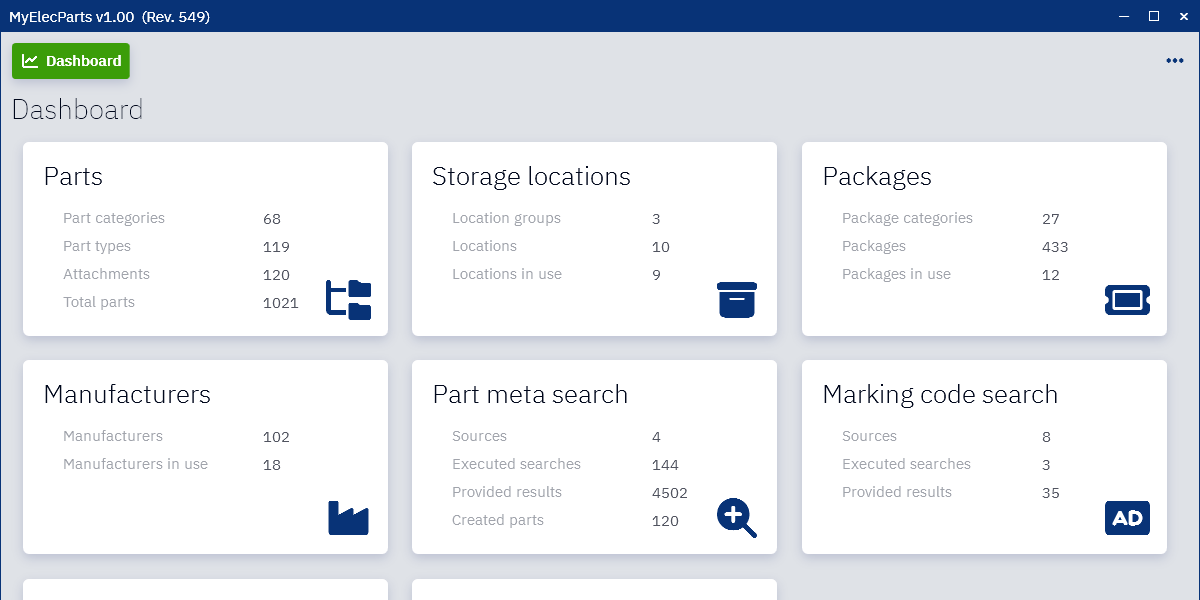
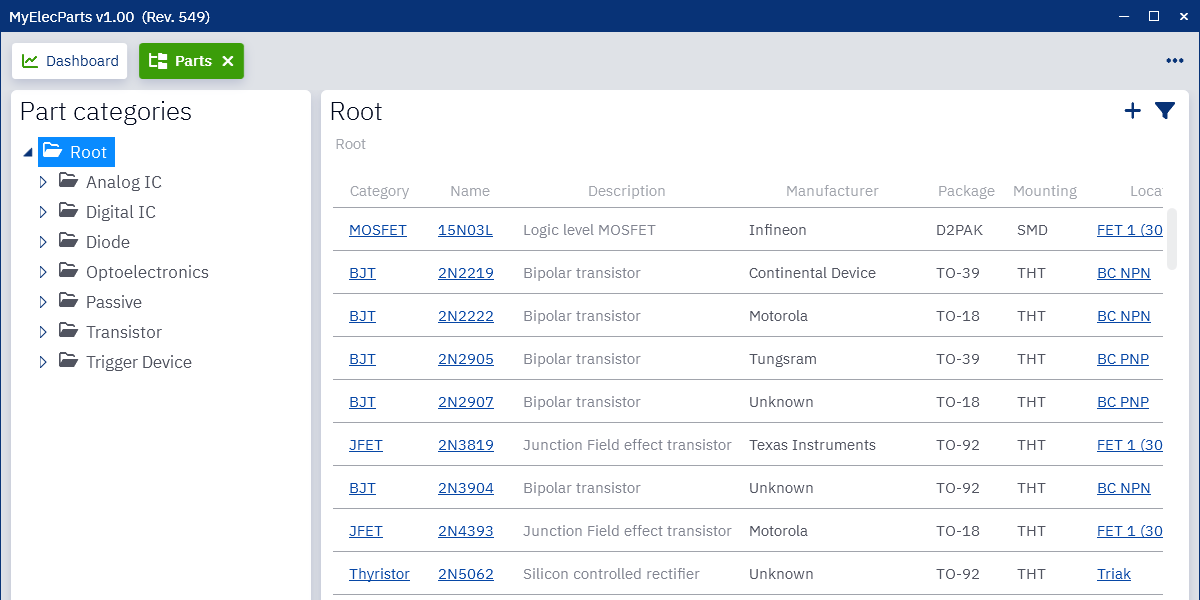
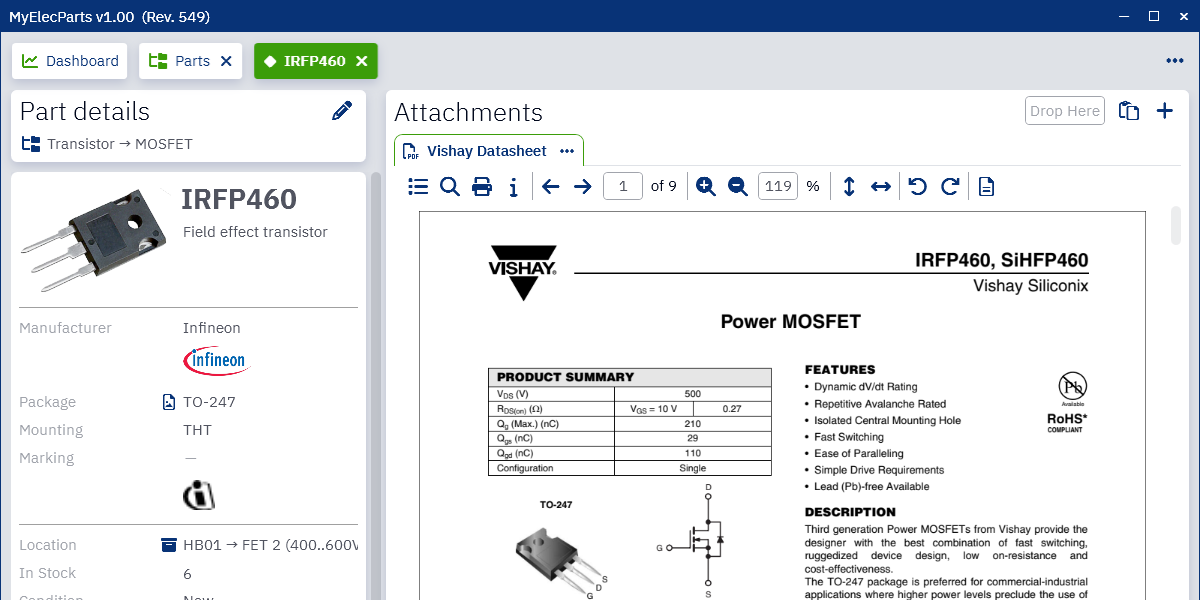
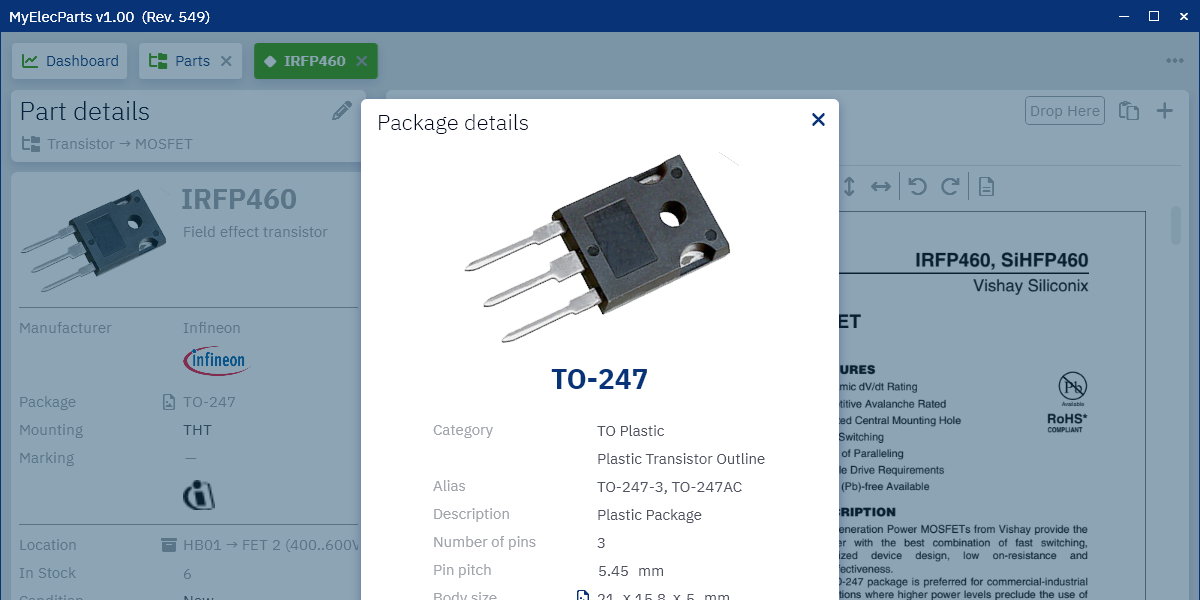
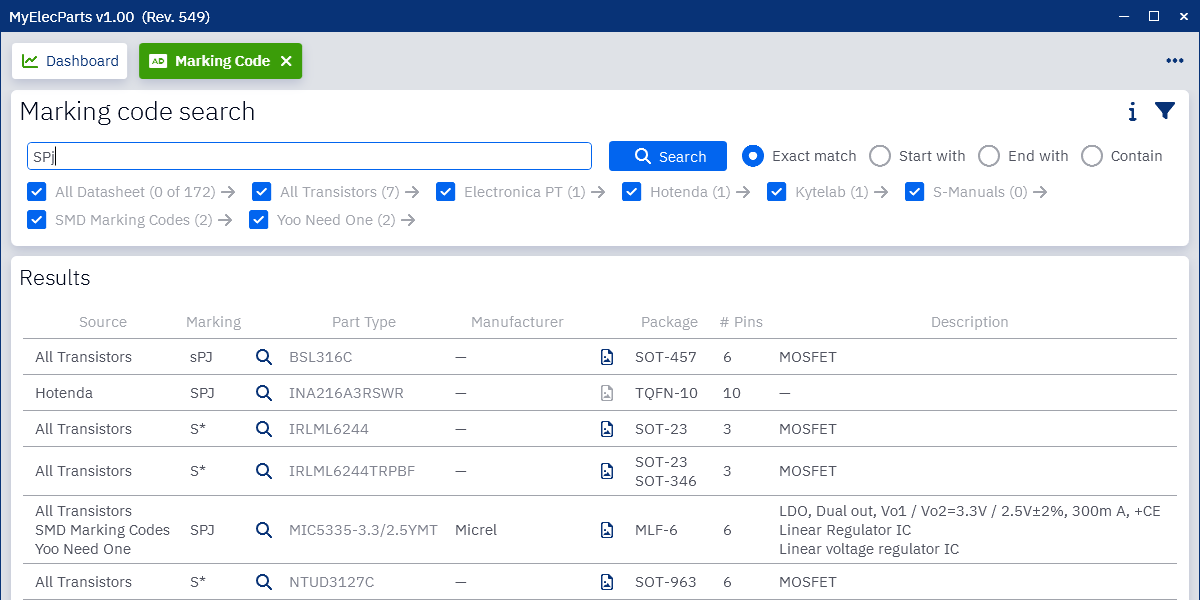
Find out what parts you own and where you store them.
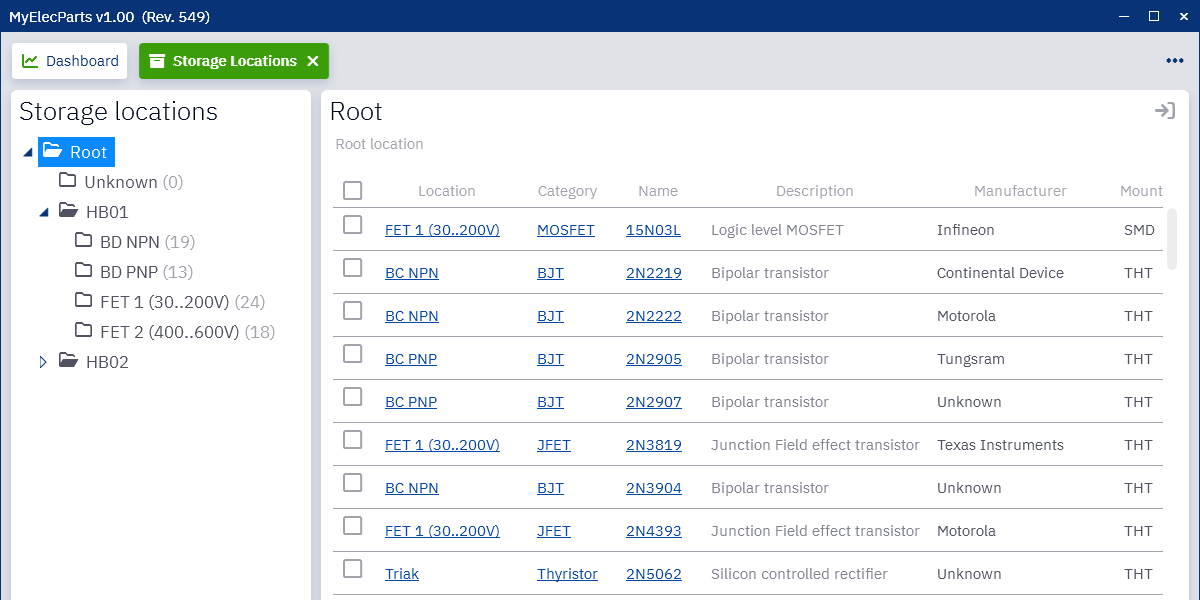
You can organize your parts in freely definable part categories. The most common categories are also available by default.
MyElecParts offers hierarchical storage space management. You can keep track of where your parts are physically located.
Please note that the target audience is electronics hobbyists and makers. MyElecParts should not be used for professional or commercial purposes.
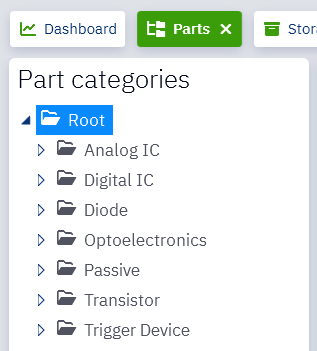
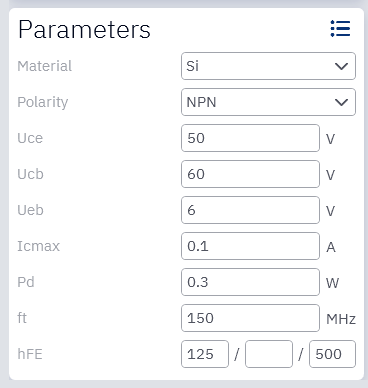
Each part category can be assigned characteristic parameters.
It helps to add usual parameters for a part, but it also helps a lot to sort, filter or find a part with choosen parameters.
Parameters can be filled in by typing or dragging from the datasheet, but you can also get them from the results of a meta search (see below),
which makes it very simple and straightforward to enter a new part.
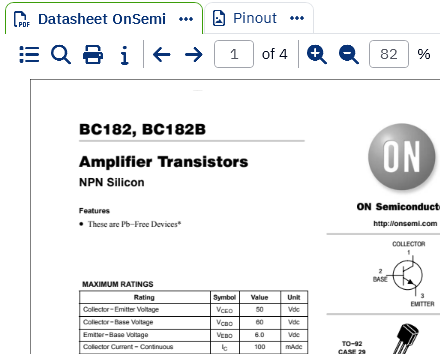
MyElecParts has a full-featured built-in PDF viewer that can display attached documents quickly and easily.
In addition to the basic controls, the viewer also supports thumbnail view, table of contents, text search, text selection with copy and print.
When you view the details of a part, its datasheet automatically opens, giving you instant access to all its features.
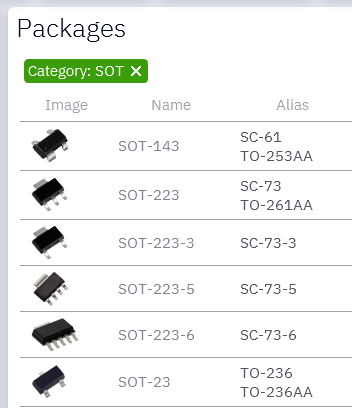
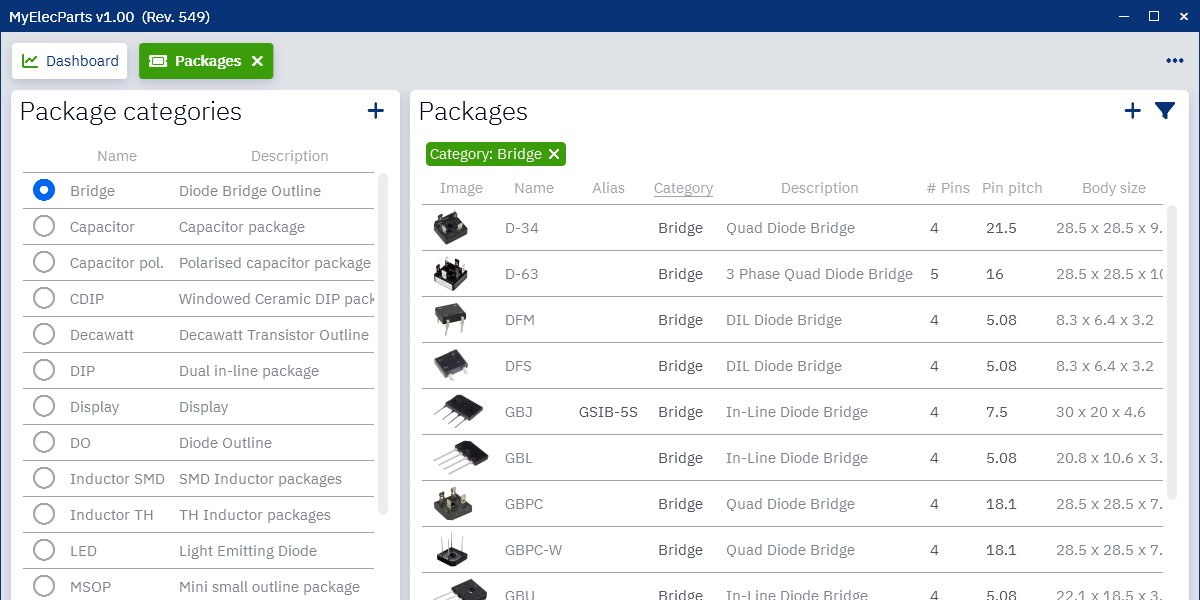
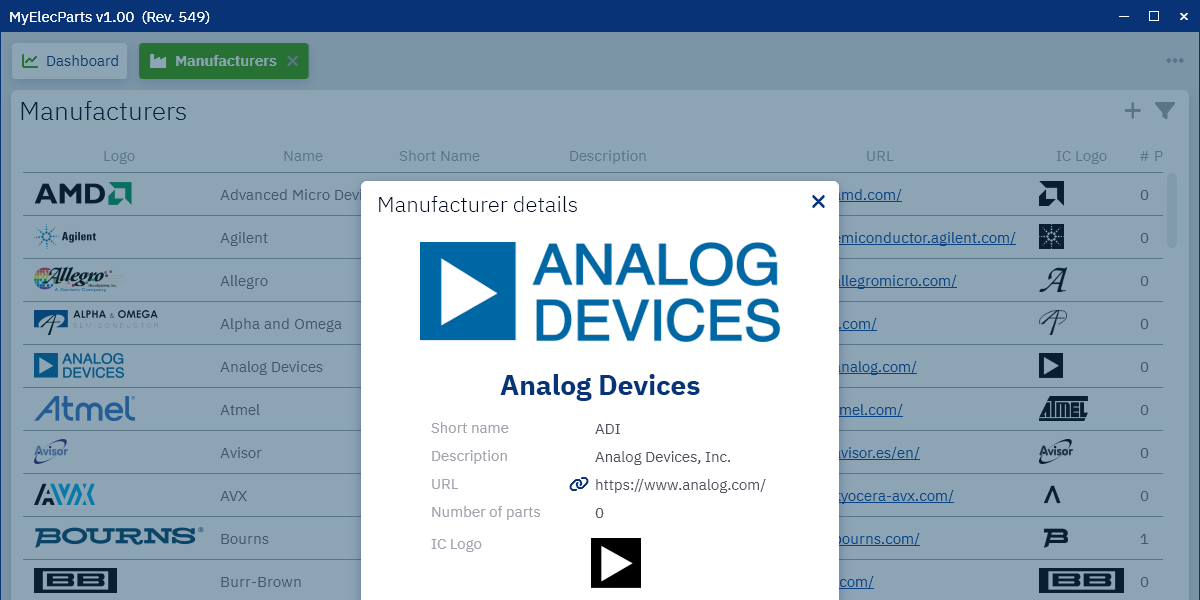
MyElecParts comes with a huge set of packages and manufacturers pre-configured.
Each package data contains package image, basic parameters and also package drawing with physical dimensions.
The supplied set covers most of basic parts, and it can be easily extended.
The list of manufacturers includes the main active and discontinued semiconductor and passive component manufacturers.
Inventorying parts is a long and tedious process unless you have a great tool to make it easier.
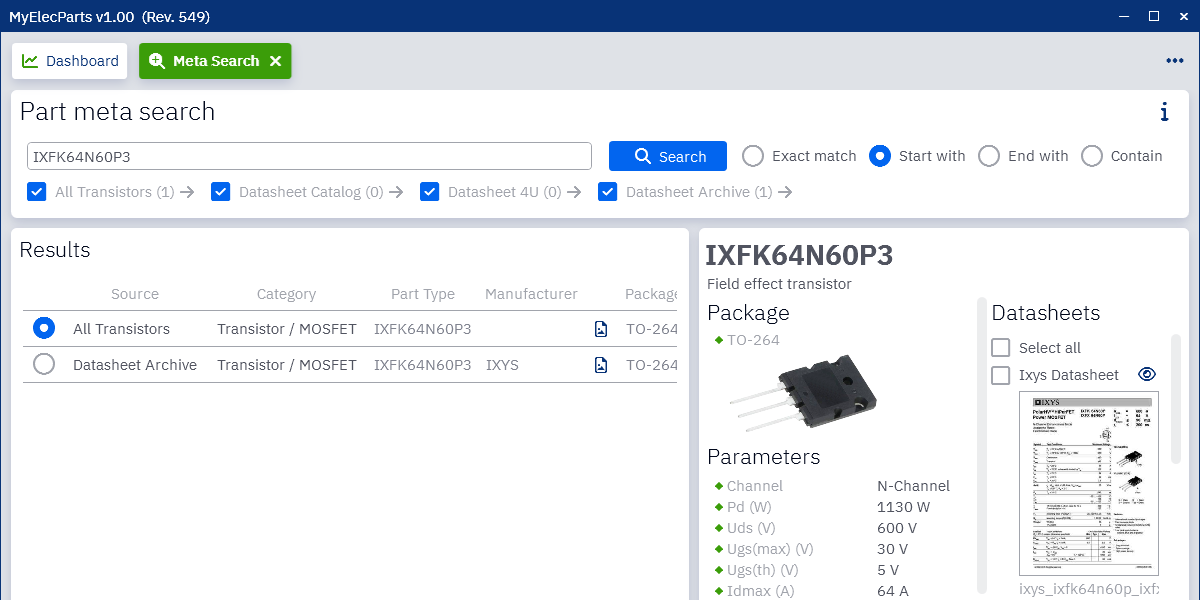
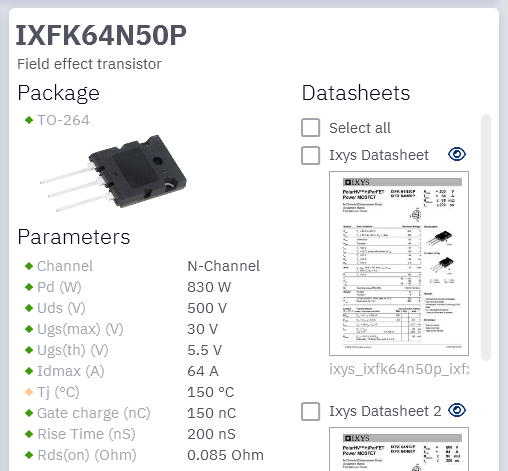
MyElecParts makes this process simple and quick. You can search for any part and get the results from online sources with basic information such as manufacturer,
packaging, description and even available data sheets. But that's not all, the search also returns typical parameters for discrete semiconductors
and for some integrated semiconductor products as well.
After selecting the right match, it is only a step to create an inventory part, which is pre-populated with the collected parameters and the selected data sheets.
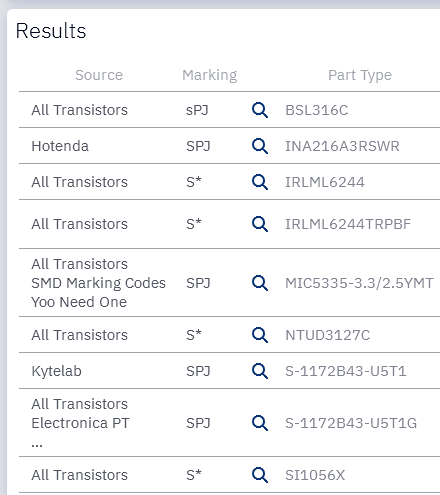
Due to the small size of most SMD components, manufacturers are not able to write the full part number on the package.
They use instead a marking code typically composed of a combination of 2 or 3 letters or digits.
MyElecParts is able to locate the original part number using various online sources.
The list of results may not be accurate as many different parts may have the same marking code,
but filtering by pin number or package can narrow down the results to find a possible match.
MyElecParts requires Windows 7 SP1 or later to run.
The portable version can be extracted into any directory, where the program has write access. Do not use Program Files, there is no write access right there.
1. MyElecParts requires the .NET Framwork 4.8 Runtime. It is delivered with the Windows 10 operating system. If you're using Windows 10 or later, there is nothing to do. If you are using an older version of the Windows, and do not already have it, please download and install it manually from the Microsoft site:
Download .NET Framework 4.8
2. MyElecParts also requires a database. By default it uses MSSQL LocalDB and store the database content in files under Data/Database directory.
At first start the program will check if LocalDB is installed and suggests downloading and installing it if it is not yet available.
Instead of LocalDB you might use PostgreSQL or MSSQL Server version. Check the Linux installation part for details.
3. MyElecParts optionally requires the Microsoft WebView2.
If you're using Windows 11, there is nothing to do. If you are using an older version of the Windows, and do not already have it, please download and install
Evergreen Standalone Installer manually from the Microsoft site:
Download WebView2 Evergreen Standalone Installer
Run MyElecParts under Wine
Linux is not natively supported, but MyElecParts can be run under Wine.
This is fully experimental, use it at your own risk.
1. The last stable version of Wine needs to be installed. For details visit the
Wine HQ.
2. MSSQL LocalDB is not available for Linux, so PostgreSQL or MSSQL Server Express is needed as database. For search functions only MyElecParts can be used also without database.
MSSQL LocalDB on Windows has the advantage that is store the database content into files under directory Data/Database, and so the backup is very easy.
Just the Data directory needs to be copied for a full backup. If you are using a different database management system, you must back up both the database contents
and the contents of the Data directory to perform a full backup.
Instructions for each database manager can be found here:
Setup PostgreSQL
Setup MSSQL Server Express
3. Unzip MyElecParts to any location. Before the first launch, you must edit the MyElecParts.exe.config file
and configure the parameters for the database you wish to use with the following settings:
In case of PostgreSQL:
	<add key="DatabaseType" value="Postgres" />
	<add key="DatabaseHost" value="localhost" />
	<add key="DatabasePort" value="5432" />
	<add key="DatabaseUser" value="postgres" />
	<add key="DatabasePass" value="your_postgres_password" />
In case of MSSQL SqlServer Express:
	<add key="DatabaseType" value="SqlServer" />
	<add key="DatabaseHost" value="localhost" />
	<add key="DatabasePort" value="" />
	<add key="DatabaseUser" value="sa" />
	<add key="DatabasePass" value="your_sa_password" />
Without database:
	<add key="DatabaseType" value="None" />
	<add key="DatabaseHost" value="localhost" />
	<add key="DatabasePort" value="" />
	<add key="DatabaseUser" value="" />
	<add key="DatabasePass" value="" />
4. MyElecParts optionally requires the Microsoft WebView2. Please download and install Evergreen Standalone Installer manually from the Microsoft site:
Download WebView2 Evergreen Standalone Installer
wine MicrosoftEdgeWebView2RuntimeInstallerX64.exe
After installation enable Win 8 compatible rendering. This step is required, otherwise webpages will not be shown.
The wine is currenty not compatible with the newer rendering method.
wine reg add "HKEY_CURRENT_USER\Software\Wine\AppDefaults\msedgewebview2.exe" /v Version /t REG_SZ /d win8 /f
5. Start:
wine MyElecParts.exe
At first start the Wine will ask for downloading and using Mono. Select yes. It will work then.
You can install PostgresSQL based on the official guide here:
https://www.postgresql.org/download/
After installation you need to set a password for postgres user. Replace your_postgres_password with your secure password.
First start psql as postgres user and execute the following SQL statement. Finally exit with exit command:
		  sudo su - postgres psql
		  ALTER USER postgres WITH PASSWORD 'your_postgres_password';
		  exit
After this step the database is ready to use. The MyElecPartsDb database and the tables will be created automatically by the program. The default schema in PostgreSQL is "public" but for technical reason MyElecParts uses the schema "dba".
You can install MSSQL Server Express based on the official guide here:
https://learn.microsoft.com/en-us/sql/linux/sql-server-linux-overview?view=sql-server-ver18
During the installation you need to choose the Express version and at the end you need to enter the sysadmin (sa) password. Use the choosen password at setting DatabasePass instead of your_sa_password.
07-05-2026
• Meta search: Update Alltransistor source
• Meta search: Update LCSC source
• Bugfix: Fix import dilog height
06-07-2026
• New optional dependency for WebView2, see installation page
• Add column selection and reorder
• Parts and Storage locations: Direct update of stock level
• Meta and Marking code search: Support human verification for Alltransistor
• Meta search: Update Datasheet4U and QDatasheet sources
• Bugfix: Fix open startup page bug
05-10-2026
• Database: Add support for PostgreSQL database
• Database: Add support for working without database (Search only)
• Parts: Add Min. stock level for part parameters
• Parts and Storage location: Show low stock warning
• Parts and Storage location: Improve stock level edit
• Parts and Storage location: Extended filtering
• Meta search: Update Datasheet4U source
• Bugfix: Fix combobox scrolling issue
• Small buxfixes
03-21-2026
• Storage location: Show all parts in the selected storage location/group
• Storage location: Add new location button
• Packages: Show all parts with selected package
• Manufacturers: Show all parts from selected manufacturer
• Meta search: Alldatasheet shows also old datasheet versions
• Meta search: Update Datasheet4U source
• Marking code search: Update Repaircompanion source
• Bugfix: Decimal separator bug fixed
• DataDirectory is configurable
02-22-2026
• Meta search: Update Alltransistor source
• Improve database handling
• Support slash in part numbers
• Small buxfixes
01-17-2026
• Meta search: Update LCSC source
• Meta search: DigChip source small improvements
• Search pages works under Wine without database
• Check for update at startup
01-17-2026
• Marking code search: Update Alltransistor source
• Meta search: Update Datasheet Archive source
• Meta search: Update Datasheet4U source
01-10-2026
• Meta search: Update Alltransistor source
• Meta search: Update Datasheet4U source
01-04-2026
• Marking code search: Add 4 new online sources
• Marking code search: Offline code source added
• Marking code search: Add direct datasheet preview
• Meta search: Improve meta search with new part categories
• Usability: All popups and dialogs can be closed with ESC
• Usability: Dialog default button can be applied with ENTER (Except dangerous operations)
• Bugfix: Fix search popup placement
• Bugfix: Fix mandatory radio button unselect
• Bugfix: Fix combo box highlight and selection
• Bugfix: Datagrid fix for Wine
• Some new packages and manufacturers are also added
11-01-2025
• All tables: Support complex filtering for text columns with logical operators and parenthesis
• All tables: Support three state sorting (Ascending/Descending/Off)
• Parts: Add generic filtering for all columns with logical operators, parenthesis and history
• Parts: Place Unknown Manufacurer/Package to the top of the column filters
• Storage location: Add generic filtering for all columns with logical operators, parenthesis and history
• Storage location: Place Unknown Manufacurer/Package to the top of the column filters
• Web access: Use CurlLib to support TLS1.3 and modern cipher algorithms
• Meta search: QDatasheet is supported again on Win7
• Meta search: Recent search button added
• Meta search: Remember last selected search mode and sources
• Meta search: Improve Alltransistor source. It supports selecting manufacturer
• Meta search: Fix DigChip pdf download
• Meta search: Search also own stock, and add direct link to own Parts and Storage location
• Marking code search: SManuals is supported again on Win7
• Marking code search: Recent search button added
• Marking code search: Remember last selected search mode and sources
• Small improvements and fixes
10-01-2025
• Parts: Parts import from XLSX and JSON format
• Parts: Delete all parts of a part category context menu added
• Meta search: LCSC source added
• Meta search: Tube Data source added
• Meta search: Fix Datasheet Archive datasheet download
• Small bugfixes
07-20-2025
• Meta search: Datasheet Catalog source removed
• Meta search: Fix Datasheet4U datasheet download once again
• Meta search: All Datasheet, Datasheet HK, DigChip és QDatasheet sources added
• Meta search: QDatasheet not supported on Win7, it is disabled by default there
• Meta search: Open datasheet preview in dialog instead of browser
• Meta search: Datasheet save and copy to clipboard added
• Part details: Search datasheet with meta search button added
• PDF viewer: Save PDF button added
• Marking code search: Search datasheet with meta search instead of browser
• Marking code search: SManuals source now supports special charachters too
• Marking code search: SManuals can download code placement images as well
• Marking code search: SManuals not supported on Win7, it is disabled by default there
• 12 new manufacturers added
• Small bug fixes
05-15-2025
• Meta search: Fix Datasheet4U datasheet source
03-23-2025
• Meta search: Fix Alltransistor datasheet download
• Meta search: Fix Datasheet4U datasheet parsing
02-08-2025
• Parts export into XLSX and JSON format
• Meta search: Add support for Microcontrollers and passive components
• Meta search: Fix Datasheet4U search
• Bugfix for auto hide taskbar
• 3 new part categories added (Microcontrollers)
• Extend part category parameters
• 3 new packages added (Quartz)
• 9 new manufacturers added
• Bug fixes
01-01-2025
• Part Meta search improvements. Support 16 new part catagories.
• 6 new part categories added
• 17 new packages added (Opto, SOJ)
• 22 new manufacturers added
• Bug fixes
• Small improvements
12-01-2024
This is the first full functional public version.

Download Windows portable version.
It requires Windows 7 SP1 or later to run. You might run in also under Linux with help of Wine. See installation details.

Please share your opinion about MyElecParts via
myelecparts@gmail.com
or in the MyElecParts thread of the EEVBlog forum.
You can also help translating MyElecParts from English into other languages.
Don't forget to recommend MyElecParts to your collegues and friends.

If you like MyElecParts, please consider supporting the future development with a donation. With your help MyElecParts can became more powerful. Thank you very much.